
By Cole Knightley September 3, 2026
Moving an online store to a new domain can look successful on the surface while the payment system underneath still depends on the old hostname.
Product pages may load correctly and search-engine redirects may work, yet customers can still be returned to an obsolete confirmation page, webhooks can keep posting to an old server, invoices can contain dead links, and hosted checkout can reject an unrecognized origin.
That is why ecommerce domain migration payments should be treated as a dedicated launch workstream rather than a small part of DNS or SEO migration.
Payment infrastructure can reference a domain in many places that customers never see: gateway configuration, webhook destinations, API callbacks, environment variables, browser security policies, fraud tools, wallets, customer portals, accounting automation, and email templates.
The safest operating principle is:
Inventory Existing Payment Dependencies → Map Old Domain to New Domain → Update Gateway URLs → Update Webhooks → Update Hosted Checkout/Allowlists → Update Receipt/Invoice/Payment Links → Update API/CORS/CSP Settings → Sandbox Test → Controlled Live Test → Monitor → Reconcile → Roll Back if Needed
One distinction should guide every test:
Browser Redirect ≠ Payment Confirmation ≠ Webhook Confirmation ≠ Settlement
A customer landing on a “Thank You” page does not prove money was successfully captured. Conversely, a broken success page does not prove the transaction failed. Final order and fulfillment decisions should depend on authoritative server-side payment state according to the gateway’s architecture.
Official hosted-checkout documentation illustrates this distinction clearly: customer redirects can be configured separately from server-side payment-event handling, and fulfillment should not depend only on the customer reaching a landing page.
Inventory Every Payment Dependency Before Changing DNS

The strongest ecommerce migration checklist begins before anyone edits DNS records. Build an inventory of every system that knows the existing storefront hostname, checkout hostname, payment URL, callback address, or customer-facing payment path.
Do not limit the inventory to the primary payment gateway. Modern ecommerce stacks often include payment orchestration, subscriptions, customer portals, fraud services, digital wallets, tax services, CRM workflows, accounting connectors, fulfillment applications, analytics, email platforms, and customer-support tools.
A useful discovery exercise starts with the checkout itself and follows every event outward.
Review:
- Payment gateways and processors
- Ecommerce-platform payment modules
- Custom payment APIs
- Redirect or hosted checkout
- Embedded checkout and hosted fields
- Payment links
- Webhooks
- Return and success URLs
- Cancel and failure URLs
- Payment callback URLs
- Authentication redirect URIs
- Customer account portals
- Receipt pages
- Invoice-payment pages
- Subscription management
- Payment-method update pages
- Fraud and risk tools
- Digital-wallet configuration
- CRM integrations
- Accounting integrations
- Email and SMS templates
- QR-code payment destinations
- CDN, WAF, load-balancer, and reverse-proxy rules
The payment integration itself may connect several of these systems. A transaction can update an order, trigger a CRM workflow, create an accounting entry, send a receipt, and initiate fulfillment.
An overview of how merchant services can interact with an online storefront and CRM provides useful background on why these downstream dependencies must be treated as part of the migration.
Payment Dependency Inventory Table
| Payment Component | Old Domain/URL | New Domain/URL | Owner | Tested? |
| Success URL | ||||
| Cancel URL | ||||
| Webhook endpoint | ||||
| Checkout domain | ||||
| Receipt link | ||||
| Invoice URL | ||||
| Payment-link domain |
Do not rely on the knowledge of a single developer. Finance may know about recurring invoice links that developers never see. Customer support may have canned responses containing payment URLs. Marketing automation may send abandoned-cart checkout links. Operations may have QR codes printed on packaging.
Map Every Old Payment URL to Its New Destination
Once the inventory exists, create a formal crosswalk:
Old Endpoint → New Endpoint → System Owner → Change Window → Verification Result
The mapping should use complete URLs where practical, including protocol, hostname, path, and relevant route structure. A migration from https://old.example/… to https://new.example/… may also change application paths, subdomains, reverse-proxy routing, or API architecture.
For example, do not merely write “webhook moved.” Record the specific logical destination:
Old payment-success webhook → New payment-success webhook → Payments team → Cutover window → Verified
This matters because multiple destinations may look similar while serving entirely different purposes.
A storefront domain is the public shopping domain.
A checkout domain is the hostname used for checkout, which may be the storefront, a checkout subdomain, or a provider-hosted hostname.
A hosted checkout is a payment interface hosted wholly or partly by the payment provider.
A return URL or success URL generally directs the customer’s browser after a checkout step.
A cancel URL generally directs the customer after abandoning or canceling a hosted payment flow.
A callback URL can refer to an application endpoint used by an integration, but its exact meaning is provider-specific.
A webhook endpoint receives asynchronous server-to-server event notifications.
A webhook secret is a secret used in the provider’s webhook-authentication design.
A webhook signature is the cryptographic or authenticated value used to validate an incoming webhook according to provider documentation.
These terms should never be treated as synonyms.
Which Gateway Return, Cancel, and Callback URLs Must Change?
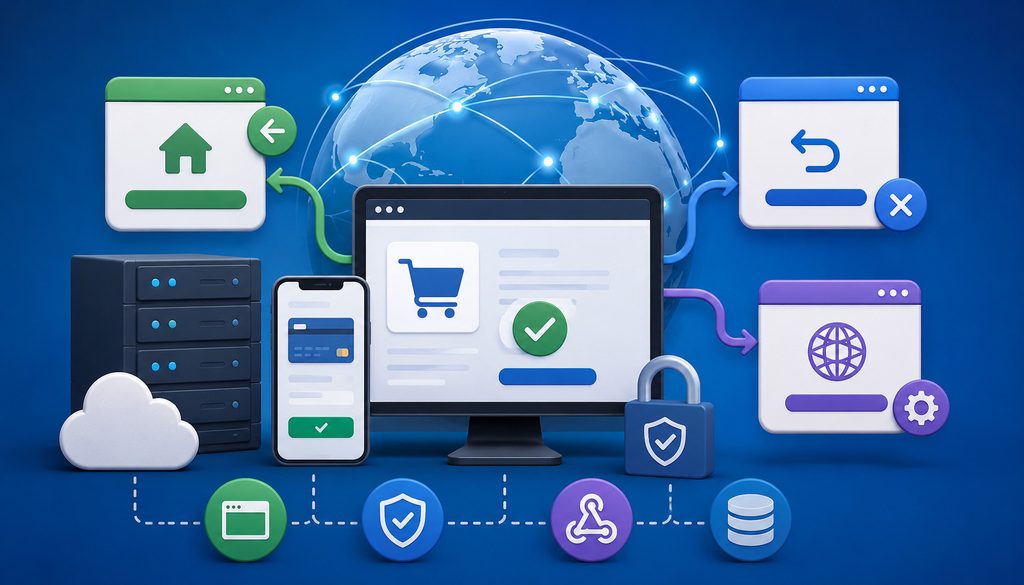
Review every payment configuration that directs either a customer or another application back to the merchant environment. At minimum, look for success URLs, return URLs, cancel URLs, failure URLs, pending-payment URLs, authentication return addresses, account-management return destinations, and hosted-payment completion URLs.
Provider terminology varies. One gateway may call something a return_url; another integration may use success_url, redirect_uri, or another field. Verify each configuration against current provider documentation rather than assuming names have identical meaning.
Official checkout documentation, for example, shows a hosted payment session configured with a merchant-controlled success destination and, depending on the checkout mode, a return URL.
Success and Return URLs
The success or checkout return URL usually determines where the customer’s browser lands after the relevant checkout step. During a checkout domain change, replace old-domain destinations with routes that exist on the new deployment and verify query parameters, identifiers, and application state survive the round trip.
A return page can display an order number, confirmation status, or next steps, but it should not independently decide that a payment succeeded just because the browser arrived there.
Customers can close the browser, lose connectivity, block a redirect, or encounter an application error after payment processing has already advanced.
Cancel, Failure, and Pending URLs
A gateway cancel URL should take customers who abandon payment back to a useful location on the new site, such as the cart or checkout recovery page.
Where the provider supports separate error, failure, or pending destinations, verify those as well. A successful-payment test alone will not reveal a stale cancellation URL.
Failure pages also deserve operational review. The page should avoid telling customers to retry when transaction status is unknown. If authorization may already have occurred, the application should query authoritative transaction state before initiating another payment attempt.
Authentication Return URLs
Some payment flows include authentication or approval steps outside the merchant page. If a configured redirect URI, return URI, or approved domain is involved, verify whether the new hostname must be registered.
Do not assume that every 3-D Secure or wallet flow follows the same architecture. Some components are managed by the gateway or payment provider; others require merchant configuration. Use the provider’s current integration instructions for the actual payment method.
Return URL vs. Callback URL vs. Webhook
A practical distinction is:
- Return URL: browser/customer navigation.
- Callback URL: an application integration destination whose meaning depends on the provider.
- Webhook endpoint: asynchronous server-to-server event destination.
A browser redirect should never be promoted into a substitute for a webhook merely because both URLs eventually affect order status.
URL Migration Table
| URL Type | Customer-Facing? | Server-to-Server? | Must Review/Update? |
| Return/success | Yes | No | Yes |
| Cancel | Yes | No | Yes |
| Failure/pending | Usually | No | Yes, where configured |
| Webhook | No | Yes | Yes |
| API callback | Usually no | Usually yes | Yes |
| Receipt link | Yes | No | Yes |
Payment Webhook Migration: Protect the Server-to-Server Payment Flow

A payment webhook migration can be more operationally important than changing the visible checkout page. Webhooks often drive the systems that decide whether an order is paid, whether goods can be fulfilled, whether a subscription renewed, or whether a refund or dispute needs attention.
When moving the endpoint, verify both transport and application processing. Follow the provider’s webhook endpoint and signature verification guidance to confirm that the new endpoint receives events and validates them correctly.
Depending on the integration, payment gateway webhook events can represent:
- Authorization status
- Capture completion
- Payment success
- Delayed-payment success or failure
- Refunds
- Voids
- Subscription renewals
- Subscription failures
- Invoice payment
- Disputes or chargebacks
- Payout or funding information
- Fraud or risk events
If a gateway continues delivering events to the old endpoint after launch, customers may pay successfully while the merchant’s database continues showing orders as unpaid.
Which Webhook Endpoints Need Updating?
Do not assume there is only one webhook endpoint. Some systems register separate endpoints by application, merchant account, event category, region, environment, or business unit.
Document every active destination and its event subscriptions.
Use this sequence for each webhook endpoint update:
Old Webhook URL → New HTTPS Endpoint → Register With Gateway → Verify Signature → Send Test Event → Confirm Application Processing
The final step is critical. An HTTP 200 response only proves that something answered the request. Confirm that the appropriate order, transaction, subscription, refund, or accounting workflow actually changed as expected.
Official provider documentation commonly supplies webhook testing tools and emphasizes validating signatures at the endpoint. Stripe’s current documentation, for example, describes signature verification using the request payload, signature header, and endpoint secret.
Which Webhook Signature Secrets Need to Be Retested?
Moving a webhook URL does not automatically mean that every provider requires the signing secret to be rotated.
Provider designs differ. A secret may be associated with:
- An individual endpoint
- A webhook configuration
- An account
- An environment
- A newly created destination
Creating a new endpoint may therefore produce a new secret in one integration while another setup may support reusing or rotating credentials differently.
The correct migration procedure is:
- Determine whether the new destination is an edited endpoint or a newly registered endpoint.
- Review the gateway’s current webhook-signing documentation.
- Identify the correct secret for the new environment and endpoint.
- Store it through the approved secret-management mechanism.
- Send a test event.
- Verify that valid signatures pass.
- Confirm altered or invalid signatures fail.
- Verify application processing after authentication.
Never disable webhook signature verification to “get migration working.”
Never Put Webhook or API Secrets in Source Code
Webhook secrets, API credentials, OAuth client secrets, and other private values should be kept in appropriate secret-management or protected environment systems rather than copied into repositories, browser-side code, support tickets, spreadsheets, or logs.
Keep sandbox and production secrets separate. A staging deployment accidentally configured with a production secret can create confusing failures and unnecessary security exposure.
When debugging, log identifiers and verification results rather than the secret itself.
Duplicate Webhooks and Idempotency
Webhook delivery systems can retry events, and applications should be designed to tolerate repeated delivery according to the provider’s model.
Where supported, use durable identifiers such as:
- Event ID
- Payment ID
- Payment-attempt ID
- Order ID
- Invoice ID
- Subscription ID
The webhook handler should recognize that an already-processed event does not require repeating the associated business action.
A duplicated event must not:
- Create a second order
- Capture a payment twice
- Fulfill twice
- Send duplicate goods
- Record accounting revenue twice
- Issue multiple receipts unnecessarily
Webhook Test Table
| Event | Endpoint Reached? | Signature Valid? | App Processed? | Duplicate-Safe? |
| Payment success | ||||
| Refund | ||||
| Failed payment | ||||
| Subscription renewal | ||||
| Dispute event |
Keeping Old and New Webhooks During Cutover
Some providers and architectures may permit old and new webhook destinations to operate simultaneously. That can reduce cutover risk, but it can also cause the same business event to reach two handlers.
Use dual delivery only where supported and intentionally designed.
Both handlers must share or coordinate idempotency so they cannot fulfill the same order twice. Once the new destination is proven reliable and rollback criteria are satisfied, remove obsolete endpoints in a controlled manner rather than leaving unused public handlers online indefinitely.
Hosted Checkout Domains, Allowlists, HTTPS, CORS, and CSP
Hosted checkout can reduce how much payment-card handling occurs within the merchant environment, but it does not eliminate domain dependencies. Redirect checkout, embedded checkout, iframes, hosted fields, wallet buttons, and provider JavaScript components can all depend on domain or origin configuration.
Hosted payment architecture can also affect PCI scope and payment-page responsibilities. Review the PCI SSC guidance for ecommerce payment pages and iframes when determining which payment elements originate from the merchant environment versus a validated third-party provider.
PCI Security Standards Council guidance distinguishes ecommerce implementations based in part on where payment-page elements originate, which is one reason domain and page architecture must be handled carefully rather than modified casually during a migration.
A domain migration should never weaken checkout security merely to maintain compatibility.
Hosted Checkout Domain Allowlist
The direct answer is:
Add the new storefront or checkout domain to every provider allowlist, trusted-origin configuration, or registered-domain setting that applies to the integration before removing the old domain.
The exact terminology can include:
- Allowed origin
- Trusted domain
- Checkout domain
- Approved domain
- Referrer restriction
- Redirect-domain restriction
- JavaScript origin
- Merchant domain
Not every gateway uses every restriction. Verify requirements from current official documentation.
Do not remove the old domain prematurely if existing checkout sessions, payment links, invoice links, or other supported flows can still lead customers through it.
HTTPS and TLS
Every payment-related page and server endpoint on the new hostname should be available through correctly configured HTTPS before payment traffic is moved.
Validate:
- Certificate validity
- Hostname coverage
- Certificate chain
- HTTPS reachability
- Reverse-proxy termination
- Webhook HTTPS connectivity
- No unexpected mixed-content problems
NIST’s TLS guidance describes TLS as the mechanism used to protect data during Internet transmission and provides detailed recommendations for selecting and configuring secure TLS implementations.
Avoid depending on unnecessary HTTP-to-HTTPS redirect chains when the gateway can be configured directly with the final HTTPS URL.
CORS
A storefront-domain change can change the browser origin from which frontend requests are made. If checkout JavaScript or merchant APIs use Cross-Origin Resource Sharing, review all permitted origins.
CORS is a browser-controlled mechanism for determining whether a web application running at one origin can access resources from another origin. MDN’s current CORS documentation explains how browser cross-origin requests and credential behavior are governed by these policies.
Do not casually solve CORS errors by allowing every origin. Sensitive APIs should expose only the cross-origin access genuinely required by the architecture.
Content Security Policy
A restrictive Content Security Policy can legitimately block a newly configured payment component if the relevant provider resources or new hostnames are missing.
Depending on the integration, review directives controlling:
- Scripts
- Frames
- Network connections
- Form submissions
- Images
- Embedded content
OWASP describes CSP as an important defense-in-depth browser security control and documents directives used to restrict content sources, network connections, and form behavior.
Do not disable CSP globally to make checkout work. Adjust the necessary directives according to the payment provider’s documented integration requirements and verify the resulting policy.
Cookie and Session Behavior
A domain change can affect login, cart, and checkout sessions because cookie scope depends on attributes including Domain, Path, Secure, and SameSite.
Browser behavior can also differ depending on whether a request is same-site or cross-site. MDN documents how SameSite influences when cookies accompany cross-site requests.
Test carts and authenticated checkout from a clean browser rather than assuming old sessions will migrate naturally.
Checkout Domain vs. Storefront Domain
The storefront and checkout do not always use the same hostname.
A merchant might operate:
- www.example.com for browsing
- checkout.example.com for merchant-hosted checkout
- A payment-provider hostname for hosted checkout
Do not force these domains to become identical unless the platform architecture calls for it.
The goal is not domain uniformity. The goal is correct and secure relationships among the storefront, checkout, gateway, APIs, browser origins, redirects, and payment-event processing.
Receipt, Invoice, Customer-Portal, and Payment-Link URLs
Customer-facing payment URLs are easy to miss because many live outside the checkout application. A receipt sent six months ago can contain a different domain dependency than a newly created checkout session.
Perform a dedicated receipt URL migration and payment-link review covering every channel that can send a customer back to the merchant.
This includes:
- Transaction receipts
- Order-confirmation emails
- Invoices
- Invoice payment links
- Customer portals
- Subscription-management links
- Payment-method update pages
- Failed-payment recovery links
- Refund-status pages
- Abandoned-cart messages
- CRM templates
- Support macros
- SMS
- QR codes
What Payment-Link URLs Can Break?
The most common risks include:
- Hard-coded links containing the old hostname
- Redirects to routes that no longer exist
- Signed links whose validation depends on host or application configuration
- Old checkout-session links
- Customer-account URLs tied to the old session environment
- Links whose token was migrated incorrectly
- Provider payment links that return customers to the old domain
Do not assume that a 301 redirect will preserve the meaning of every invoice payment link or checkout session.
Before launch, define whether existing payment URLs will continue working, redirect through a supported path, be regenerated, or intentionally expire.
Receipt Links
Receipts often link to much more than a downloadable receipt.
They may include:
- Order details
- Tax invoice
- Return policy
- Shipment status
- Refund information
- Customer profile
- Subscription portal
- Support pages
A payment can remain completely valid even when one of these URLs breaks. Repair the access path rather than assuming the financial transaction needs to be reversed.
Email and SMS Templates
Search transactional communications for the old domain.
Review:
- Payment confirmation
- Receipt
- Invoice
- Payment failed
- Refund confirmation
- Subscription renewal
- Subscription failure
- Payment-method update
- Abandoned checkout
- Customer-support replies
SMS systems deserve the same treatment. Short links and campaign templates may hide the destination hostname from reviewers.
QR Codes
Printed QR codes are a special migration problem because they cannot be edited after distribution.
Check QR codes on:
- Invoices
- Statements
- Packaging
- Signs
- Printed receipts
- Customer letters
- Product inserts
Where the underlying architecture permits it securely, maintain an appropriate compatibility path for previously distributed codes.
Payment Link Inventory Table
| Link Type | Old URL | New URL | Redirect Required? | Tested? |
| Invoice payment | ||||
| Receipt | ||||
| Customer portal | ||||
| Refund status | ||||
| SMS payment link |
For broader background on ecommerce payment protection, this overview of payment security for ecommerce stores can complement the migration-specific controls described here.
Payment API Migration, OAuth, Wallets, and Recurring Billing
A public-domain change may require almost no change to one backend API while forcing major changes to another. Avoid assuming that “new domain” automatically means “new API credentials.”
Review the actual architecture.
API Configuration and Environment Variables
Search deployment configuration for URL-bearing settings such as:
- BASE_URL
- APP_URL
- SUCCESS_URL
- CANCEL_URL
- CHECKOUT_RETURN_URL
- WEBHOOK_URL
- API callback addresses
- Frontend origin settings
These names are conceptual examples; your application may use completely different variables.
Also search source code, platform plugins, CMS configuration, deployment manifests, serverless functions, reverse proxies, and infrastructure-as-code for hard-coded references to the previous domain.
API Keys
A domain migration does not automatically require API-key rotation.
Instead, review:
- Whether the key is scoped by hostname or origin
- Whether a frontend credential has origin restrictions
- Whether production and sandbox credentials remain properly separated
- Whether the migration revealed accidental exposure
- Whether provider policy requires any credential change
Do not rotate credentials blindly during the same cutover unless you have tested the replacement and have a rollback method. Combining unnecessary credential rotation with a domain migration increases the number of failure variables.
OAuth and Connected Applications
Payment, tax, accounting, and CRM integrations can use OAuth redirect URIs. These addresses are often registered exactly with the external application.
Add the new registered redirect URI where required and test the full authorization cycle.
Remember that an OAuth redirect URI is not the same thing as a payment webhook. Both may contain URLs, but they serve different security and application purposes.
Digital Wallets and Domain Verification
Some wallet integrations associate payment capability with verified merchant domains.
For example, Apple’s current web-payment documentation requires merchant domains to be registered and verified and describes hosting a verification file for each domain being registered.
Do not assume domain verification automatically transfers to a new hostname.
Google Pay likewise provides a structured test-and-deployment checklist and recommends testing the payment workflow in the test environment across supported browsers and devices before production deployment.
Verify each wallet independently.
Recurring Billing and Stored Credentials
Changing the public storefront hostname should not create duplicate subscriptions or cause a merchant to re-tokenize every stored customer credential automatically.
Determine whether the stored credential or token belongs to:
- The gateway vault
- A processor vault
- The ecommerce platform
- A merchant account
- A specific connected account
- Another tokenization system
If the vault relationship has not changed, the public-domain migration may have no effect on the underlying token.
What commonly does change are customer-facing or operational components around recurring billing:
- Customer portal URL
- Update-payment-method URL
- Cancellation URL
- Failed-payment recovery link
- Subscription webhooks
- Renewal receipts
Test applicable renewal success, renewal failure, subscription cancellation, and payment-method update flows.
SEO Redirects Are Not Payment Configuration
SEO and payment migrations overlap at the domain level but solve different problems.
An SEO migration may use broad 301 redirects to transfer users and search engines from old content URLs to their replacements. Payment gateways, OAuth systems, wallets, and webhook services can require exact registered URLs or approved origins.
Therefore:
Do not assume an HTTP redirect can replace changing the provider’s registered payment endpoint.
A webhook sent to an old URL that returns a redirect may or may not be followed as desired by the sending system. A security-sensitive OAuth redirect may require exact registration. A hosted-checkout return URL may have provider-specific behavior.
Update the correct destination in the provider configuration.
DNS Is Infrastructure, Not Payment Configuration
Prepare DNS deliberately:
- Confirm new records
- Review TTL strategy
- Validate load-balancer/CDN routing
- Keep old infrastructure available as needed
- Install and validate HTTPS before traffic cutover
Do not promise a universal DNS propagation period. Resolver caches, record types, TTLs, providers, and network conditions vary.
Most importantly:
DNS migration does not update gateway settings, webhook destinations, CORS origins, wallet registrations, receipt URLs, or payment links.
How to Sequence Sandbox and Live Payment Testing
The safest test sequence moves from configuration inspection to non-production testing, then to tightly controlled live validation.
Use:
Configuration Review → Local/Staging Validation → Sandbox Transactions → Webhook Tests → Redirect Tests → Receipt/Invoice Link Tests → Production Configuration → Controlled Live Transaction → Refund/Void Test → Settlement/Reconciliation Check
This order reduces the chance that the first time a new payment endpoint is exercised is with an ordinary customer’s live transaction.
Sandbox Test Matrix
| Test | Expected Result | Passed? |
| Successful payment | Order receives expected authorized/captured state | |
| Declined payment | Correct failure state; no false “paid” order | |
| Cancel checkout | Customer returns to correct new-domain page | |
| Return URL | Correct route and order context | |
| Webhook | Verified event processed once | |
| Refund | Financial and order state update correctly | |
| Receipt link | Resolves securely on new domain | |
| Invoice link | Correct invoice/payment page opens |
Test Both Success and Failure Paths
Do not stop after one sandbox transaction succeeds.
Where supported by the provider’s test tools, test:
- Successful authorization/capture
- Decline
- Customer cancel
- Abandoned checkout
- Timeout or unknown-state handling
- Webhook redelivery
- Refund
- Void
- Delayed payment
- Authentication challenge
- Authentication failure
A store that accepts the happy path but fails whenever a customer cancels checkout is not launch-ready.
Authentication Testing
If the integration uses 3-D Secure or another external authentication journey, test the provider-supported scenarios for challenge, authentication completion, return handling, and resulting payment state.
Do not simulate real authentication by inventing test values. Use the gateway’s or platform’s designated testing environment and test instruments.
Controlled Live Testing
Once sandbox testing passes, configure production and perform a small, legitimate controlled live transaction consistent with the provider’s rules.
Verify this complete chain:
Checkout → Payment → Order State → Webhook → Receipt → Gateway/Processor Record
Then, where operationally appropriate, test the intended void or refund workflow.
A successful authorization should not be the end of the migration test. Check processor reporting and settlement visibility as well.
Payment Declines During Testing
If a test or legitimate payment is declined, treat the gateway’s actual status and decline information as authoritative rather than inferring failure from the user interface.
For additional background on different reasons online payments may decline, see this overview of common payment-decline causes and troubleshooting considerations.
Order State, Payment State, and Duplicate-Payment Prevention
A robust domain migration keeps order state separate from browser navigation.
A useful conceptual flow is:
Order Created → Payment Pending → Payment Succeeded → Order Paid → Fulfillment
The exact state machine will vary by gateway, ecommerce platform, and payment method, but the central principle remains: returning to a success page is not sufficient evidence to fulfill an order.
Use Server-Side Payment State
Official hosted-checkout documentation warns that customers are not guaranteed to reach the merchant’s landing page after paying and therefore recommends server-side event handling for fulfillment.
The implementation may use a webhook, direct API status lookup, or another provider-approved server-side mechanism depending on the architecture.
Do not blindly label “webhook” as the single source of truth for every possible gateway. The appropriate authoritative pattern is provider-specific, but final order state should be based on verified server-side payment information.
Idempotency and Payment Attempts
Where supported, use:
- Idempotency keys
- Order IDs
- Payment-attempt IDs
- Payment IDs
- Webhook event IDs
Suppose a customer submits payment during cutover and the browser times out before the new success page loads. A dangerous implementation might immediately create another charge when the customer retries.
Use:
Do Not Blindly Retry → Query Gateway/Processor → Determine State → Retry Only When Safe
That same rule applies during rollback.
Monitoring the Checkout Domain Change on Launch Day
Payment monitoring should begin before traffic moves and continue after the first successful transaction.
Observe:
- Checkout creation errors
- Payment failures
- Hosted-checkout origin errors
- Webhook delivery
- Signature failures
- HTTP 4xx and 5xx webhook responses
- Return URL failures
- Cancel URL failures
- Order/payment mismatches
- Receipt-link failures
- Invoice-payment failures
- Duplicate-payment attempts
- API errors
- Customer-portal failures
Do not invent a universal acceptable payment failure rate. Compare performance with the merchant’s normal baseline, investigate unexpected changes, and define internal stop/go criteria before launch.
Launch Dashboard
| Metric/Event | Old Domain | New Domain | Status |
| Checkout | |||
| Webhooks | |||
| Return URLs | |||
| Receipt links | |||
| Payment links | |||
| Refunds |
Log Correlation
Troubleshooting becomes significantly easier when systems share non-sensitive identifiers.
Correlate:
Order ID → Payment ID → Webhook Event ID → Receipt/Invoice ID
Avoid placing sensitive cardholder data in general application logs.
The goal is to answer questions such as:
- Did the gateway create the payment?
- Which order did it belong to?
- Did the webhook arrive?
- Did the application process it?
- Which receipt was generated?
without needing full card data.
CDN, WAF, and Reverse Proxy Checks
New domains frequently involve infrastructure changes outside the application itself.
Confirm that CDN, firewall, WAF, reverse proxy, and load-balancer configuration permits the legitimate payment integration to operate.
Verify:
- Required HTTPS traffic
- Supported HTTP methods
- Webhook POST requests
- Required request body sizes
- TLS termination
- Correct host routing
Do not disable the WAF globally because one webhook is blocked. Identify the relevant rule and adjust it narrowly using current provider guidance.
If a payment provider publishes IP ranges or allowlisting requirements, obtain them from current official documentation rather than copying addresses from an old forum post or hard-coding an unverified list.
PCI DSS and Security Controls During a Domain Migration
Moving domains does not create an exception to payment-security controls.
PCI SSC guidance emphasizes understanding which ecommerce pages and providers participate in handling payment data. A migration can change those relationships, particularly when payment scripts, iframes, hosted components, or page resources are changed.
Do not use migration pressure as a reason to:
- Log full card numbers
- Log CVV
- Copy cardholder data into staging
- Expose API keys to frontend code
- Disable webhook signatures
- Turn off HTTPS validation
- Bypass provider domain restrictions
- Move stored credentials through spreadsheets
- Leave obsolete endpoints online permanently
Production and Staging Data
Prefer provider test credentials, test payment methods, and sandbox environments for pre-launch validation.
Do not copy production cardholder information into staging merely to reproduce live behavior. If a particular production-data workflow is necessary, confirm that the architecture, permissions, and security controls explicitly support it.
Secret Management
Store API keys, webhook secrets, OAuth credentials, and similar sensitive values in the organization’s approved secret-management process.
During deployment, verify which version or environment receives each secret. “Sandbox key accidentally deployed to production” and “production webhook secret left in staging” are migration failures even when the domain itself works.
Old Infrastructure
Old servers often remain online temporarily to support rollback, legacy receipt links, webhooks, or sessions.
Maintain:
- Patching
- TLS
- Authentication
- Logging
- Access control
- Monitoring
until they are actually decommissioned.
A server is not safe simply because DNS traffic has mostly moved elsewhere.
What Should the Ecommerce Payment Rollback Plan Be?
A real rollback plan is much broader than “point DNS back.”
The payment rollback plan should define:
- Who can declare rollback
- Which failures trigger rollback
- How storefront routing is restored
- Which checkout configuration becomes active
- Which return and cancel URLs become active
- Which webhook endpoint becomes authoritative
- Which allowlists or origins must change
- Which API settings must be restored
- How duplicate webhook processing is prevented
- How cutover orders are reconciled
- How unknown payment attempts are investigated
- What customers and support teams are told
Prepare these actions before launch.
Preserve the Old Payment Environment
Do not immediately delete:
- Old webhook handler
- Old return pages
- Old application deployment
- Old payment configuration
- Compatibility redirects
- Old domain certificates
Keep them only as long as operationally necessary, but long enough to execute the documented rollback and support valid legacy flows.
Rollback Transaction Ownership
Orders created during a cutover need clear ownership.
A useful field might indicate:
- Old integration
- New integration
- Migration-window version
This is operational metadata, not card data.
When rollback occurs, do not automatically replay uncertain transactions through the old integration. First determine whether the new integration already authorized, captured, or otherwise processed them.
Rollback Decision Matrix
| Failure | Continue? | Roll Back? | First Action |
| Broken return URL | Depends on scope | Possibly | Check payment state and repair return route |
| Webhooks not arriving | High risk | Often consider | Inspect endpoint/provider delivery logs |
| Captures occur but orders remain unpaid | High risk | Often consider | Stop fulfillment automation; reconcile payment IDs |
| Hosted checkout rejects new domain | Usually no | Likely | Verify registered/allowed domain |
| Receipt links broken | Often possible | Usually not alone | Repair link routing |
| Duplicate payments detected | Critical | Strong rollback candidate | Stop retries and investigate payment attempts |
Launch-Day Payment Migration Sequence
Launch day should follow a predetermined runbook rather than improvisation.
- Freeze nonessential payment configuration changes.
- Confirm configuration exports and backups.
- Confirm the new domain, routing, and TLS.
- Verify gateway return, cancel, and callback settings.
- Verify webhook registration and signatures.
- Verify hosted-checkout domains and allowlists.
- Enable the new storefront domain.
- Run a controlled live payment.
- Verify the order/payment state.
- Confirm the webhook and return route.
- Confirm receipt and invoice links.
- Verify refund or void workflow where appropriate.
- Monitor payment and application errors.
- Reconcile gateway and processor records.
- Roll back if a predefined critical condition occurs.
Avoid combining the domain launch with unnecessary gateway upgrades, plugin migrations, major fraud-rule changes, billing-model changes, or unrelated infrastructure releases.
Every extra variable makes troubleshooting harder.
Post-Launch Verification
During normal traffic, verify the first available example of:
- Successful sale
- Failed transaction
- Customer cancel
- Webhook event
- Receipt
- Invoice payment
- Refund or void
- Recurring payment, when timing permits
A system that passed a synthetic smoke test can still expose errors when real customers use different devices, browsers, payment methods, or existing links.
Settlement and Reconciliation Complete the Validation
The payment migration is not fully verified when a checkout page displays “Order confirmed.”
Follow the financial chain:
Order → Gateway Payment → Capture → Settlement → Funding → Bank
The exact reporting terminology and timing depend on the processor and merchant setup, but reconciliation should demonstrate that new-domain orders create the expected processor records.
Payment Reconciliation Table
| Order ID | Payment ID | Domain | Captured Amount | Settlement | Reconciled? |
Maintain visibility for transactions initiated before cutover. A payment that starts on the old domain but completes near the migration window should not become impossible to trace.
Similarly, identify new-domain transactions clearly enough that operations teams can isolate migration-related issues.
Finance should be able to answer:
- Does the order total match the payment?
- Did the correct capture occur?
- Does the transaction appear in processor reporting?
- Was the refund or void reflected correctly?
- Can the transaction later be matched to settlement and funding?
Customer Support Readiness for Domain-Migration Payment Problems
Support representatives are often the first people to discover a stale payment URL or failed redirect.
Give them a brief launch guide covering:
- Broken payment links
- Broken receipt links
- Checkout redirect failures
- Duplicate-charge complaints
- Unknown payment status
- Old invoice links
- Customer-portal problems
The most important instruction is:
Do not tell a customer that payment failed solely because the success page did not load.
Broken Success Page
A customer says, “I paid, but then I got an error page.”
The correct investigation is:
- Locate the order.
- Locate the associated payment attempt.
- Query authoritative gateway/processor status.
- Confirm whether payment was authorized or captured.
- Retry only if the transaction is confirmed not to have succeeded and the gateway workflow permits it.
Broken Receipt Link
A receipt URL failure does not invalidate the underlying transaction.
Confirm the payment separately, repair or regenerate secure receipt access, and avoid issuing a refund simply because a document link is unavailable.
Old Payment Link
When a customer uses an old invoice or payment link, the appropriate response depends on the platform:
- Preserve a supported secure redirect
- Regenerate the payment link
- Direct the customer to the authenticated portal
- Replace an expired link
Do not manually alter signed tokens or expose payment details to make an old link work.
Common Domain-Migration Payment Mistakes
The most damaging errors are usually ordinary configuration oversights rather than exotic payment failures.
Watch for:
- Changing DNS but forgetting gateway return URLs
- Leaving webhooks pointed to the previous domain
- Assuming the old webhook secret works with a newly created endpoint
- Removing the old checkout domain from an allowlist too early
- Relying only on 301 redirects
- Forgetting receipts and invoice URLs
- Missing SMS payment links
- Ignoring old QR codes
- Testing successful payment but not cancellation or decline
- Assuming the success page proves payment
- Mixing live and sandbox secrets
- Disabling webhook verification during troubleshooting
- Forgetting authentication return paths
- Forgetting CORS
- Forgetting CSP
- Missing wallet-domain verification
- Not testing mobile checkout
- Deleting rollback infrastructure too early
- Automatically retrying unknown payments
- Processing duplicate webhook deliveries twice
Ecommerce Domain Migration Payments Checklist
Use this direct-answer checklist before declaring a new-domain payment integration ready.
| Area | Verified? |
| Old/new domain mapping complete | |
| Return URL updated | |
| Cancel URL updated | |
| Failure URL updated | |
| Webhook endpoint updated | |
| Webhook signature verified | |
| Hosted checkout allowlist updated | |
| CORS reviewed | |
| CSP reviewed | |
| TLS valid | |
| Payment links updated | |
| Receipt links updated | |
| Invoice links updated | |
| Customer portal updated | |
| Email/SMS templates updated | |
| OAuth redirects reviewed | |
| Wallet/domain verification reviewed | |
| Sandbox tests passed | |
| Live smoke test passed | |
| Refund/void tested | |
| Settlement visibility confirmed | |
| Monitoring active | |
| Rollback plan ready |
For ecommerce domain migration payments, no single DNS change or checkout test is enough. The migration is ready only when customer navigation, server-side payment events, security policies, stored configuration, customer links, operational workflows, and financial reconciliation agree on the new environment.
Questions to Ask the Payment Gateway
Before cutover, obtain verified answers to gateway-specific questions rather than building the migration around assumptions.
Ask:
- Which return or success URLs are currently registered?
- Which cancel, failure, or pending URLs are registered?
- Which webhook endpoints are active?
- Which events does each webhook receive?
- Is the webhook secret tied to the endpoint?
- Does creating a new webhook generate a new secret?
- Can old and new destinations coexist temporarily?
- Which domains or origins must be allowlisted?
- Does hosted checkout require domain verification?
- Are any API credentials restricted by domain or origin?
- What official webhook testing tools are available?
- How are repeated webhook deliveries identified?
- What idempotency mechanism does the API support?
- What should happen when the customer returns from checkout?
- Which server-side status or event should cause an order to be marked paid?
- Are any wallet or payment-method registrations domain-specific?
- What is the recommended rollback procedure?
Record these answers in the launch documentation. Gateway configuration should not live only in one developer’s memory.
Questions Developers and IT Should Answer
Developers and infrastructure teams should be able to identify every place the old hostname appears in the technical payment stack.
Confirm:
- Are old-domain URLs hard-coded anywhere?
- Which environment variables contain hostnames?
- Which webhook handlers exist?
- Are success, cancel, and failure routes present?
- Are webhook signatures validated?
- Is processing idempotent?
- Are CORS origins updated?
- Is CSP updated?
- Is the new TLS certificate valid?
- Are CDN/WAF rules correct?
- Are OAuth redirect URIs updated?
- Are wallet verification files or domain registrations required?
- Can duplicate webhook events be processed safely?
- Are logs based on IDs rather than sensitive card data?
- Can old endpoints be restored during rollback?
- Has rollback actually been exercised?
The technical launch is complete only when the answers are documented and verified, not when code has merely been deployed.
Questions Operations and Finance Should Answer
Technical success needs operational confirmation.
Operations and finance should determine:
- Can support identify old-domain versus new-domain transactions?
- Can staff locate authoritative payment status?
- Can refunds still be processed?
- Are receipts accessible?
- Are invoices accessible?
- Are recurring-payment events still arriving?
- Are old payment links still in circulation?
- Can payment records be reconciled to orders?
- Can processor reporting distinguish launch-window transactions?
- Who monitors payments during cutover?
- Who investigates unknown payment states?
- Who can declare rollback?
- Who communicates with the gateway and ecommerce platform?
These responsibilities matter because payment failures often cross team boundaries. A technically valid gateway transaction can still become an operational problem if the finance system, fulfillment workflow, or customer-support tools never receive its status.
Frequently Asked Questions
What payment settings need to change when moving an ecommerce site to a new domain?
Review every setting containing the old hostname or depending on the old origin. This commonly includes success and return URLs, cancel and failure URLs, webhooks, callbacks, hosted-checkout domains, allowlists, CORS, CSP, OAuth redirects, wallet verification, receipts, invoices, payment links, customer portals, email templates, SMS links, API configuration, and fraud-tool integrations.
DNS redirects alone do not update these systems. Create a complete dependency inventory and validate each item before launch.
Do payment gateway return URLs need to be updated?
Usually, any merchant-controlled return or success destination referencing the previous hostname should be updated to the correct new URL.
Also review cancel, failure, pending, authentication, and account-management destinations where the integration uses them. Do not assume an HTTP redirect is an adequate substitute for changing the gateway’s registered destination. Verify exact requirements using current gateway documentation.
What is the difference between a return URL and a webhook?
A return URL normally directs the customer’s browser back to the merchant after a checkout step. A webhook is a server-to-server event sent independently of the customer’s browser. A customer may never reach the return page even though the transaction succeeded, while the webhook can still notify the merchant’s server. They should not be used interchangeably.
Do webhook URLs need to change after a domain migration?
If the endpoint hostname changes, the gateway’s webhook destination normally needs to be updated or replaced with the new HTTPS endpoint. Register the correct URL, send provider-supported test events, verify signatures, and confirm application processing.
If the old endpoint remains temporarily active, make sure dual delivery cannot create duplicate fulfillment, accounting entries, subscriptions, emails, or captures.
Do I need a new webhook signing secret?
Not necessarily. Webhook-secret behavior is provider-specific. Some systems associate a secret with an individual endpoint, so creating a new destination can create a new secret.
Others support different approaches to rotation or endpoint editing. Verify the provider’s current documentation, store the correct value securely, and retest signature validation rather than assuming the old secret will work.
How do I update hosted-checkout domains and allowlists?
Identify every allowed-origin, trusted-domain, merchant-domain, checkout-domain, or referrer setting used by the payment integration. Add and verify the new hostname before removing the old one when the platform supports a transition period.
Then test checkout from the exact production origin. Also review TLS, CSP, CORS, wallet verification, and embedded-component requirements.
Can old payment links keep working after a domain change?
Sometimes, but do not assume they will. Existing links can contain the previous hostname, session state, signed parameters, customer-portal routes, or provider-controlled tokens. Determine whether each link type should remain valid, redirect through a supported path, be regenerated, or expire. Test old invoice, email, SMS, and QR-code links before launch.
Will receipt and invoice links break after moving domains?
They can if the links contain hard-coded old URLs or route to pages that no longer exist. Search receipt and invoice templates for the previous hostname and test old as well as newly generated messages. A broken receipt page does not mean the payment itself failed; payment state and document access should be investigated separately.
Do CORS and CSP settings affect payment integrations?
Yes, when the payment architecture uses browser requests, scripts, frames, forms, or network connections controlled by these policies. A new storefront origin may not be allowed by existing CORS rules, while CSP may block payment scripts, frames, or connections.
Update only the directives and origins needed for the documented payment architecture rather than disabling security protections broadly.
Should API keys be changed during a domain migration?
Not automatically. First determine whether the credential is actually tied to the domain, origin, environment, or application. A backend key may remain valid even though the storefront hostname changes.
Rotate credentials when provider policy, credential scope, or a security concern justifies it, but test replacements carefully so unnecessary rotation does not create an avoidable launch outage.
How should sandbox testing be done before launch?
Start with configuration and staging validation, then run sandbox transactions covering success, decline, cancellation, webhooks, redirects, receipt links, invoice links, refunds or voids, and authentication paths where supported.
Confirm webhook signatures and idempotent handling. Only after these checks pass should the production configuration be updated and a controlled legitimate live transaction performed.
What live payment tests should be run after launch?
Run a controlled legitimate purchase and trace it end to end: checkout, gateway status, order state, webhook, return page, receipt, and processor record. Where practical and permitted, test the intended void or refund workflow.
Continue monitoring normal transactions and confirm settlement visibility rather than treating frontend confirmation as sufficient evidence that migration succeeded.
Can a failed return page mean the payment still succeeded?
Yes. The browser can fail to reach the merchant’s return page even after the payment has advanced successfully. Network interruptions, routing problems, application errors, or stale URLs can break the customer-facing redirect. Before asking the customer to pay again, locate the transaction and query authoritative server-side gateway or processor status.
How do I prevent duplicate payments during an ecommerce domain migration?
Use provider-supported idempotency, durable payment-attempt IDs, order IDs, payment IDs, and webhook event IDs. If a transaction times out or the return page fails, do not blindly resubmit it.
Query the gateway first. Ensure repeated webhook deliveries do not create duplicate business actions, and clearly separate transactions owned by the old and new integration during cutover.
What should a payment rollback plan include?
It should define rollback authority, trigger conditions, storefront routing, gateway URLs, webhook ownership, hosted-checkout domains, allowlists, API configuration, duplicate-event protection, transaction reconciliation, and customer-support procedures.
Preserve the old environment long enough to restore payment processing safely. Most importantly, investigate unknown transactions before replaying them through the previous integration.
Conclusion
Moving an ecommerce store to a new hostname is not merely a DNS, branding, or SEO project. Payment systems can continue referencing the previous domain through return URLs, cancel routes, webhook endpoints, hosted-checkout configuration, browser origins, wallet verification, invoice links, receipts, customer portals, API settings, and automated communications.
A disciplined ecommerce domain migration payments plan starts by inventorying those dependencies, mapping old endpoints to their replacements, updating provider configuration, preserving signature verification and other security controls, and testing the entire customer and server-side payment journey.
Remember the central distinction:
Browser Redirect ≠ Payment Confirmation ≠ Webhook Confirmation ≠ Settlement
Validate successful and failed checkout paths, webhook processing, authentication flows, payment links, refunds or voids, processor reporting, and settlement visibility.
Maintain idempotency throughout the cutover, investigate unknown transactions before retrying them, and keep a rollback environment available until the new integration meets defined stability and reconciliation criteria.
A storefront migration is complete only when customers can pay, backend systems can reliably determine payment state, links and receipts reach the correct destination, security controls remain intact, operations can support the new environment, and finance can reconcile new-domain orders through the payment lifecycle.
Informational disclaimer: Payment gateways, processors, ecommerce platforms, wallets, browsers, and security architectures use different requirements for webhooks, redirects, domain registration, APIs, TLS, CORS, CSP, credentials, and checkout behavior.
Verify platform-specific requirements with current official documentation and with your payment gateway, ecommerce platform, processor or acquirer, and qualified technical or security professionals before changing a production payment environment.