
By Cole Knightley September 3, 2026
An ecommerce order rarely stays as simple as “customer pays $100, merchant ships $100 of merchandise, finance receives $100.” A customer may upgrade shipping, remove an item, receive a post-purchase discount, correct a shipping address that changes tax, return one product, or receive an order in several shipments.
Those changes create one of the hardest operational problems in ecommerce payment reconciliation: the storefront may show the current commercial value of the order while the payment gateway shows what actually happened to the money. Neither record should be casually overwritten to make the numbers look identical.
The reliable model is to keep four connected but distinct records:
- Order state: What the customer ordered and currently owes.
- Payment state: What was authorized, captured, reversed, voided, or refunded.
- Refund state: Which individual refund requests succeeded, failed, or remain pending.
- Settlement state: Which payment events entered processor settlement, funding, the bank, and eventually the general ledger.
The operating workflow should therefore look like this:
Order Created → Authorization → Capture → Order Edit/Shipping/Tax Change → Adjustment Decision → Partial Refund or Additional Payment/Capture → Storefront Update → Gateway Update → Settlement → Daily Reconciliation → Exception Resolution
The central principle is simple: order state and payment state are related but not identical. The storefront or order-management system should know what the order contains and what the customer currently owes. The payment gateway or processor should remain authoritative for actual authorizations, captures, refunds, and payment transaction status.
Finance reconciles those specialized records rather than forcing one system to impersonate the other.
Which System Should Be the Source of Truth?
There should not be a single database field called “truth” that attempts to represent an order, its payment history, settlement, and accounting treatment simultaneously. Different systems own different facts.
The storefront or order-management system, or OMS, should normally be authoritative for the commercial state of an order. It knows which products remain on the order, quantities, discounts, shipping, tax calculated by the relevant commerce or tax system, fulfillment status, and the currently approved order total.
The gateway or processor should be authoritative for payment movement. If its records show that a $150 capture succeeded and a $20 refund later succeeded, the payment history cannot responsibly be rewritten because the storefront now says the revised order total is $130.
Accounting adds another layer. Finance determines GL classification, processor clearing, bank reconciliation, receivables, liabilities, and other accounting treatment based on the underlying business’s policies and applicable accounting requirements.
This separation also matters when designing a storefront and payment-service integration. Integration should connect systems through stable identifiers and events without erasing the distinctions between order, payment, and accounting records.
Storefront, gateway, processor, and accounting responsibilities
A useful operating model is:
| Data element | Primary system |
| Product quantity | Storefront/OMS |
| Shipping amount | Storefront/OMS |
| Tax calculation | Storefront/tax engine |
| Current order total | Storefront/OMS |
| Authorization status | Gateway/processor |
| Capture status | Gateway/processor |
| Refund status | Gateway/processor |
| Payment transaction IDs | Gateway/processor |
| Settlement | Processor/acquirer |
| Bank posting | Bank |
| GL treatment | Accounting system |
One system should not overwrite another system’s specialized truth.
That rule resolves many gateway storefront mismatch cases. If the storefront says an order now contains $120 of goods but the gateway proves that $150 was captured, the answer is not to modify the capture history to $120. The merchant needs an adjustment workflow—perhaps a $30 refund if appropriate—and the resulting payment events must be recorded separately.
Likewise, if a gateway shows a successful refund while the storefront still shows the full amount paid, the merchant should repair the storefront payment ledger rather than issue another refund.
Order State and Payment State Must Stay Separate
A clean reconciliation design represents an order lifecycle and payment lifecycle independently while linking them through immutable identifiers.
An order might move through:
Created → Edited → Partially Fulfilled → Fulfilled → Refunded/Adjusted
The associated payment might move through:
Authorized → Partially Captured/Captured → Partially Refunded → Fully Refunded → Settled
Those sequences do not have to change at the same time. An order could be edited before its payment is captured. A payment could be fully captured while only part of the order is fulfilled. A refund could be initiated after fulfillment, and settlement may occur on yet another timeline.
This distinction is particularly important because authorization, capture, refund, settlement, and bank funding describe different financial events. Visa’s developer documentation, for example, describes capture as the action used to initiate clearing and settlement of a previously approved authorization and separately provides refund and void operations.
Exact rules remain dependent on the applicable network, processor, gateway, transaction type, and merchant setup.
Keep the core amounts separate
The following values should exist as separate fields or calculated measures:
- Order total: Current approved commercial value of the order.
- Authorized amount: Amount approved at authorization.
- Captured amount: Amount successfully captured.
- Refunded amount: Sum of successful refunds.
- Net paid amount: Captures less successful refunds.
- Balance due: Amount still legitimately owed after payment and applicable credits.
- Shipping charge: Current shipping component of the order.
- Shipping refund: A payment adjustment returning shipping money.
- Tax amount: Current tax calculated by the applicable commerce/tax workflow.
- Order edit: A revision to order composition or commercial terms.
The fundamental reconciliation equation is:
Order Total ≠ Authorized Amount ≠ Captured Amount ≠ Refunded Amount ≠ Net Customer Payment
For payment reporting:
Net Customer Payment = Total Captured − Total Refunded
For an order-balance model:
Balance Due = Current Approved Order Total − Net Customer Payment − Applicable Credits
Declined, canceled, or expired authorization attempts should not be deducted from the customer balance simply because they appear in transaction history. They did not necessarily result in captured customer payment.
Why Storefront and Gateway Totals Drift Apart
A payment gateway mismatch does not automatically mean money is missing. Often, the storefront and gateway simply represent different moments in the order lifecycle.
Consider an order created for $220. The gateway authorizes $220. Before shipment, the customer removes a $40 product, bringing the order to $180. If the merchant correctly captures only $180 where its payment configuration supports that workflow, the order total and cumulative capture align even though the historical authorization remains $220.
Now consider the same edit after a full $220 capture. The gateway still correctly shows that $220 was captured. The storefront correctly shows that the revised order is worth $180. The missing element is a $40 payment adjustment, usually a partial refund where appropriate.
Common causes of divergence include:
- product removal or quantity changes after authorization;
- products added after payment;
- shipping upgrades or reductions;
- waived shipping;
- tax recalculation;
- destination or shipping-address changes;
- partial fulfillment and split shipment;
- partial refund ecommerce workflows;
- multiple captures;
- refunds created manually in a gateway portal;
- failed customer-service adjustments;
- duplicate or missed webhooks;
- integration outages;
- asynchronous payment status changes;
- finance adjustments that never returned to the OMS.
A good gateway selection process should therefore consider refund tools, reporting, APIs, transaction references, and reconciliation capabilities—not merely checkout acceptance. This overview of payment gateway selection and reporting considerations provides additional background.
Do not “fix” a mismatch by changing history
Historical payment records should remain auditable. If the original order total was $220, the capture was $220, and a later order edit reduced the customer obligation to $180, those facts should remain visible.
Create a new event instead:
- order revision;
- refund;
- additional payment;
- credit;
- cancellation;
- authorization reversal;
- other supported adjustment.
The objective of order edit reconciliation is not to make every historical amount identical. It is to create an explainable chain from the original order to the current balance and from each payment event to settlement.
Partial Refund Reconciliation: Link Every Refund to Its Payment History
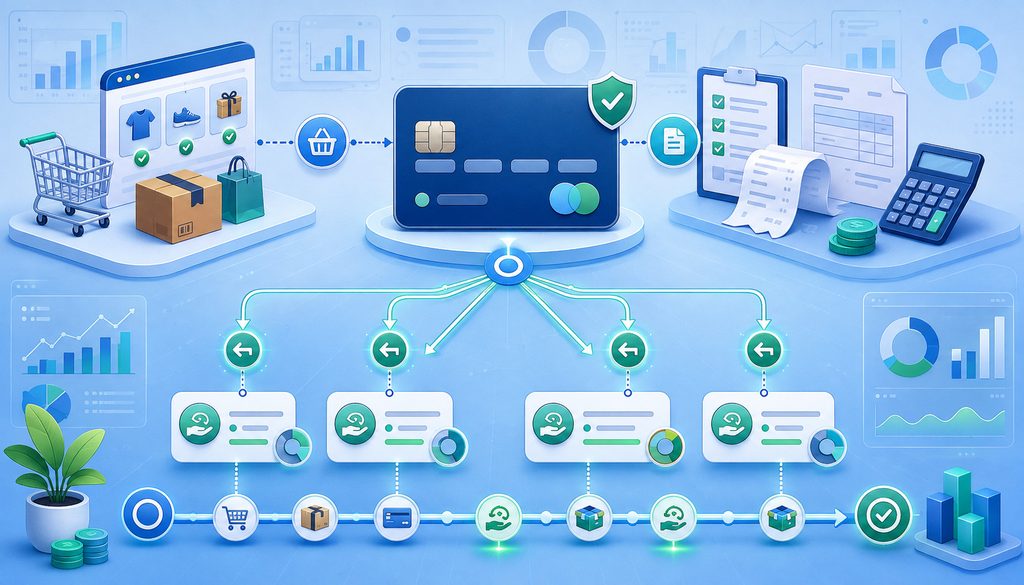
A partial refund is a refund for less than the amount previously captured. It should be represented as a new payment event rather than a modification of the original capture.
Suppose a customer paid $200 and later received two adjustments:
Captured: $200
Refund 1: $25
Refund 2: $15
Net Paid: $160
The merchant should retain all three successful payment events. Showing only “latest refund: $15” would make the payment ledger incomplete and could cause customer-support or finance staff to believe $185 remains paid.
How should partial refunds be linked to the original transaction?
Each partial refund should retain enough identifiers to trace it back through the order and original payment. Gateway-specific rules vary, but official documentation for partial and multiple refund processing shows why merchants should preserve both the original payment reference and the unique reference generated for each refund. Depending on the provider’s data model, that may include:
- original order ID;
- gateway payment/transaction ID;
- authorization ID or reference;
- original capture ID where applicable;
- refund ID;
- refund amount;
- currency;
- refund reason;
- refund status;
- timestamp;
- person or system that initiated the refund;
- gateway/provider reference returned for the refund.
A conceptual hierarchy looks like:
Order → Payment → Capture → Refund 1 → Refund 2
Some providers explicitly require a reference to the relevant capture for particular refund scenarios. That illustrates why merchants should preserve provider-generated capture and refund identifiers rather than trying to reconstruct relationships using customer email or card last four digits. Provider-specific requirements must always be checked against current documentation.
A refund mapping report could look like this:
| Order ID | Payment ID | Capture ID | Refund ID | Refund amount | Reason |
| ORD-4815 | PAY-9812 | CAP-4107 | REF-1001 | $25 | Item return |
| ORD-4815 | PAY-9812 | CAP-4107 | REF-1009 | $15 | Shipping adjustment |
Cumulative refunds, pending refunds, and failures
Calculate:
Total Refunded = Sum of All Successful Refunds Linked to the Original Capture/Payment
Then:
Net Paid = Total Captured − Total Refunded
Refund status is important. A merchant should not automatically reduce its authoritative completed-payment balance simply because an application created a refund request. Some integrations distinguish requested, pending, succeeded, canceled, and failed states.
If a refund fails, preserve the failed attempt for troubleshooting. Do not mark the order successfully refunded, and do not blindly retry until the gateway’s current state is known.
Where the provider supports it, idempotency or unique refund-attempt keys help protect against duplicate API submissions. PayPal, for example, documents a unique request ID for idempotent supported REST POST operations, while its webhook guidance demonstrates deduplicating events by event ID. These are product-specific examples rather than universal API conventions.
Shipping and Tax Changes After Authorization
Shipping and tax adjustments deserve dedicated controls because they can change what the customer legitimately owes after a payment authorization already exists.
Shipping may change because the customer upgrades delivery, staff waive freight, an item is removed, actual shipment costs differ from an estimate, the order is split, or fulfillment changes. Tax may change after a shipping-address correction, product addition or removal, exemption update, destination change, or recalculation by the commerce or tax platform.
Ecommerce platforms can also recalculate commercial amounts after an edit; for example, Shopify documents how order edits can affect taxes, shipping, payments, and refunds, reinforcing the need to recalculate the order before deciding how to adjust the payment.
The order should first be recalculated. Only then should the payment workflow determine what financial action is valid.
What happens when shipping changes after authorization?
If shipping increases after authorization, the revised order total may exceed the amount that was originally authorized. Merchants should not assume they may simply capture more than the authorized amount.
The appropriate option depends on current gateway, processor, network, payment-method, merchant-category, transaction, and integration rules. Possible supported workflows may include:
- a new authorization;
- reauthorization;
- an additional customer-approved payment;
- a new payment link;
- an eligible incremental-authorization workflow where specifically supported.
Incremental authorization rules used in particular merchant categories or transaction types should never be generalized to every ecommerce purchase.
For a shipping decrease before capture, the merchant may be able to capture the lower legitimate order amount if the provider and transaction configuration permit partial capture. If shipping falls after the original payment has already been captured, a partial refund may be the appropriate payment adjustment.
| Scenario | Order change | Payment action to evaluate |
| Shipping reduced before capture | Lower total | Lower capture if supported |
| Shipping reduced after capture | Lower total | Partial refund |
| Shipping increased before capture | Higher total | Reauthorization or additional approved payment |
| Shipping increased after capture | Higher total | Additional approved payment workflow |
Tax changes require the same state discipline
Tax belongs to the order calculation, while the gateway records what amount was actually processed. The gateway is not a substitute tax engine.
A tax decrease after capture may create an amount that needs to be returned through a refund or other appropriate adjustment. A tax increase should not be interpreted as permission to silently increase a historical authorization or capture.
Current ecommerce-platform behavior can also vary materially. Shopify’s documentation, for example, describes order edits as potentially producing either a payable balance or a refund, and its current API documentation explains that significant order changes are handled through an order-editing workflow.
The exact tax result is jurisdiction- and platform-dependent. Merchants should use their configured tax engine or qualified tax guidance rather than treating this article as tax advice.
Order Edits Before and After Capture
Order edits are easiest to reconcile when the system asks one question first: Has money already been captured?
Before capture, edits such as product removal, quantity changes, shipping adjustments, discounts, and tax recalculation can often be incorporated into a revised order total before the payment is finalized.
The validation workflow should be:
Current Approved Order Total → Compare With Authorized Amount → Determine Valid Capture/Adjustment Workflow
Do not automatically capture the original amount after the order has decreased merely because that was the original authorization request.
Order edits before capture
Suppose the original order is $300 and a $50 item is canceled before fulfillment. The revised approved order total is $250.
The merchant should determine whether the gateway and transaction type permit a $250 capture against the existing authorization. If they do, capture the amount legitimately due and preserve the original $300 authorization record.
If the revised total instead rises to $330, the merchant should not assume the extra $30 can be included in the original capture. Follow the gateway’s documented authorization workflow or collect an additional approved payment.
Authorization validity and partial-capture consequences vary. Do not build code around a universal expiration period or assume that unused authorized value remains available indefinitely.
Order edits after capture
Once money has been captured, a later order revision normally requires a new payment event.
If the order decreases, that may mean:
- partial refund;
- store credit;
- gift-card adjustment;
- another approved credit workflow.
If the order increases, that may mean:
- additional customer payment;
- new authorization;
- approved stored-credential transaction if the use case and consent permit it;
- payment link or invoice.
Do not rewrite the historical capture as though the higher or lower order total had existed originally.
Maintain an order revision history:
| Change | Before | After | Payment impact | Approved by |
| Item removed | $220 | $190 | $30 refund after capture | Support manager |
| Shipping changed | $190 | $200 | $10 additional balance | Customer |
| Tax recalculated | $200 | $198 | $2 adjustment | Tax workflow |
| Discount applied | $198 | $188 | $10 refund/credit | Retention team |
The exact payment action depends on payment state, gateway capability, and company policy.
Multiple Captures, Split Fulfillment, and Multiple Refunds
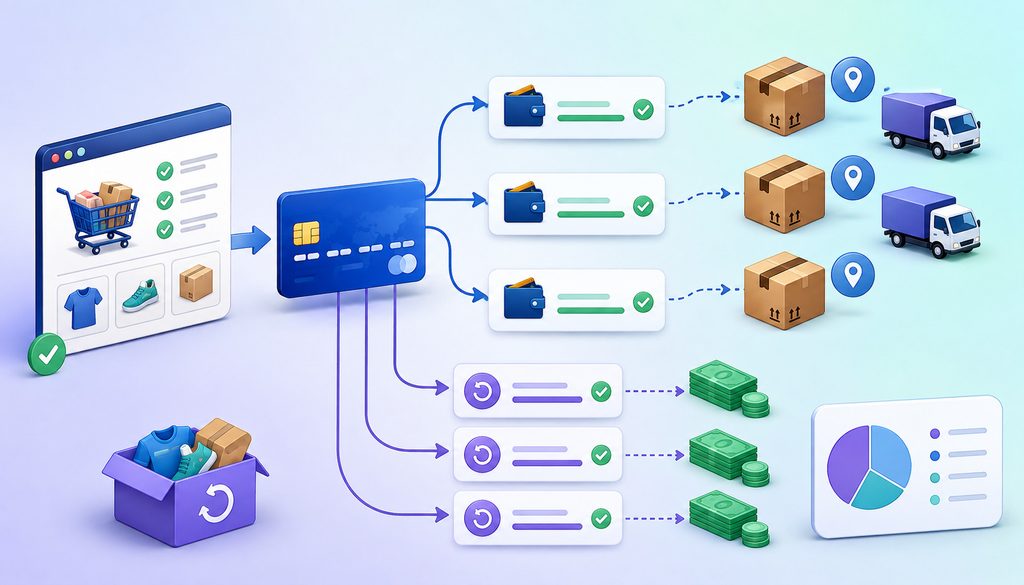
Some ecommerce merchants capture payment in stages because orders ship separately, inventory is backordered, or fulfillment occurs in distinct phases.
A conceptual flow might be:
Order → Shipment 1 → Capture 1 → Shipment 2 → Capture 2
However, merchants must not assume every gateway, payment method, account configuration, or authorization supports multiple captures.
Provider documentation illustrates why this capability must be verified rather than assumed; Stripe, for example, documents multiple-capture payment support as a distinct feature with specific availability and payment-method requirements.
Stripe, for example, documents multicapture as a specific capability with defined requirements and webhook behavior. Adyen likewise documents scenarios involving multiple partial captures. Those examples demonstrate provider variability rather than establishing a universal rule.
How should multiple captures be displayed?
The storefront’s payment history should show:
- original order total;
- each successful capture;
- cumulative captured amount;
- amount still legitimately due or uncaptured;
- associated shipment/fulfillment ID where useful;
- capture status;
- gateway capture reference.
For example:
| Capture | Amount | Shipment/fulfillment | Status |
| Capture 1 | $80 | SHIP-100 | Successful |
| Capture 2 | $60 | SHIP-104 | Successful |
| Capture 3 | $40 | SHIP-107 | Successful |
Then:
Total Captured = Capture 1 + Capture 2 + Capture 3
Those captures normally remain payment events beneath one commercial order unless the business truly created separate orders.
The same rule applies to refunds. Show the original capture or captures, every successful refund, cumulative refunded amount, and resulting net paid.
A chronological payment ledger is often clearer:
| Date | Event | ID | Amount | Running net paid |
| May 2 | Capture | CAP-01 | +$120 | $120 |
| May 4 | Capture | CAP-02 | +$60 | $180 |
| May 8 | Shipping refund | REF-01 | -$10 | $170 |
| May 15 | Item refund | REF-02 | -$30 | $140 |
This structure also helps with returns after multiple captures. Where provider architecture requires refunding against a particular capture, the merchant can trace the returned product or fulfillment back to the correct payment event.
Which IDs Should the Storefront and Gateway Integration Preserve?

Transaction identifiers are the backbone of gateway transaction reconciliation. Human-friendly fields such as customer email, name, order date, amount, and card last four can help staff search, but they should not be the primary relational key.
Emails can change. Amounts can repeat. The same customer can place several identical orders. Last four digits are not globally unique.
Recommended identifier map
Store non-sensitive identifiers relevant to your architecture, including:
| Identifier | Purpose |
| Order ID | Customer/order context |
| Order revision ID | Identifies a particular order version |
| Checkout/session ID | Links checkout activity |
| Payment ID | Gateway payment object/reference |
| Processor transaction ID | Processor-side tracing |
| Authorization ID/reference | Original authorization |
| Authorization code | Approval reference when provided |
| Capture ID | Identifies captured money |
| Refund ID | Identifies returned money |
| Fulfillment/shipment ID | Links payment to shipment |
| Invoice ID | Billing reference |
| Webhook event ID | Event deduplication and audit |
| Settlement ID | Settlement reconciliation |
| Funding ID | Funding/deposit reconciliation where available |
An authorization code is not necessarily interchangeable with the gateway payment ID, processor transaction ID, or authorization object ID. Preserve the fields separately when your provider exposes them.
Order-version IDs are especially valuable when an order is edited after checkout. Instead of merely knowing that order ORD-500 had a $200 payment, the system can show that revision 1 was $200, revision 2 became $185, and REF-114 returned $15.
A useful conceptual relationship model
Depending on the provider’s architecture, an internal data model may resemble:
Order 1 → Many Payments
Payment 1 → Many Captures
Capture 1 → Many Refunds
That is a useful conceptual model, not a claim that every gateway exposes identical API objects.
The merchant’s internal ledger should translate provider-specific objects into stable business relationships while retaining the original provider IDs. This makes refund and capture matching, ecommerce refund tracking, audit review, and settlement investigation substantially easier.
Gateway-to-Storefront Synchronization and Idempotent Webhooks
A robust storefront gateway integration should expect asynchronous events. Payment state may be updated by an immediate API response, webhook, later status query, scheduled reconciliation job, or authorized manual finance action.
Do not rely on the customer’s browser returning to a success page as proof that a capture, refund, or settlement completed.
Official PayPal integration guidance, for example, notes that customers may not return to a success page and recommends webhooks for asynchronous payment events. This is provider-specific documentation, but the architectural lesson is broadly useful: server-confirmed payment state is more reliable than browser navigation for financial reconciliation.
Webhooks should be idempotent
Where supported, process server-side events for important status changes such as:
- payment/capture completed;
- payment failed;
- refund completed;
- refund failed;
- dispute created;
- other provider-specific financial-state changes.
The essential duplicate-event rule is:
Webhook Event ID Already Processed? → Ignore Duplicate State Change
Imagine a $20 refund webhook is delivered twice. If the first delivery updates the storefront’s refunded total from $0 to $20, processing the duplicate as a second financial event could incorrectly display $40 refunded.
PayPal’s documented webhook examples specifically discuss duplicate-safe processing by storing event IDs. Provider retry behavior and event schemas vary, so implementations should follow their provider’s current webhook documentation.
Handle missed and out-of-order events
Arrival order should not automatically become financial truth.
A later-created payment event can arrive before another event because of network retries or distributed processing. Systems should evaluate the provider’s current object state, event ID, event timestamp, and documented event semantics rather than blindly adding or subtracting money whenever a webhook arrives.
Scheduled API status checks or daily reconciliation can also repair missed notifications.
If a gateway processed a refund but the storefront update failed:
- do not issue a second refund;
- query or retrieve the gateway’s authoritative transaction state;
- locate the existing refund ID;
- repair the storefront payment ledger;
- document the synchronization exception.
Resolving a Gateway Storefront Mismatch
When a mismatch appears, determine which kind of truth is disputed.
For actual payment movement, the gateway/processor transaction record should be authoritative.
For current order composition, the storefront/OMS should be authoritative.
Then reconcile the difference with the missing or incorrect event rather than choosing one entire system as the winner.
Common exceptions include:
| Storefront state | Gateway state | Likely issue | Next step |
| Refunded | No successful refund | Refund failed, never submitted, or wrong payment referenced | Verify request and gateway history |
| Paid | Partial refund exists | Storefront sync failure | Import/refeed refund and correct ledger |
| Balance due | Full capture exists | Order edit or credit not reflected correctly | Reconcile order revision to capture |
| Paid once | Two captures | Potential duplicate or legitimate multicapture | Match capture IDs and fulfillment |
| One refund | Two refunds | Missing storefront event or manual gateway refund | Trace both refund IDs |
| Refunded twice | One refund | Duplicate local event processing | Correct storefront ledger; do not refund again |
This approach is the heart of ecommerce payment reconciliation: actual money movement comes from payment records; the commercial obligation comes from the order system; reconciliation explains the variance.
Manual gateway refunds require special controls
A refund created directly in a gateway dashboard can bypass storefront automation. That can produce a dangerous scenario in which the gateway says the customer has received money while support still sees the order as fully paid.
Require manual portal refunds to record:
- user;
- timestamp;
- order ID;
- original payment/capture ID;
- refund ID;
- amount;
- reason;
- finance notification;
- storefront synchronization status.
Role-based access should restrict who may refund, capture, override order totals, or perform financial adjustments.
Before customer service initiates a refund, use this workflow:
- Locate the order.
- Locate the original payment and capture.
- Review previous refunds.
- Determine the legitimate refund amount.
- Submit the refund once.
- Verify gateway result.
- Update or verify storefront state.
- Send the applicable receipt or customer confirmation.
A useful internal control is:
Maximum Remaining Refundable Amount = Total Successful Captures − Total Successful Refunds
The actual provider-permitted refundable amount may be more restrictive because of payment-method, transaction, timing, or gateway rules. Do not rely on the gateway to prevent every over-refund scenario.
Customer-Facing Payment History Should Explain the Adjustment
Reconciliation is not only a finance problem. Poor customer-facing payment history creates unnecessary support tickets and can make a legitimate order adjustment look like a duplicate charge.
Customers generally need understandable commercial labels, not gateway internals.
For example:
Order Total: $180
Amount Captured: $180
Shipping Refund: −$10
Item Refund: −$20
Net Paid: $150
Balance Due: $0
That is easier to understand than exposing raw statuses such as capture_succeeded, payment_object, or refund_reference.
If multiple captures were used for split fulfillment, the payment history can associate each payment with a shipment without pretending the captures were separate orders.
Preserve receipts and revisions
Do not silently rewrite the original receipt after a post-payment adjustment.
Instead, preserve:
- original invoice/receipt;
- revised order summary;
- refund receipt;
- additional-payment receipt;
- current balance summary.
A shipping refund payment should specifically identify that shipping was refunded when that is the business reason. Similarly, a post-purchase discount that results in money being returned should create a refund or appropriate credit event rather than changing the historical capture.
Mixed tender needs extra care. If an order used a card plus gift card or store credit, distinguish the tender sources. Do not assume the amount returned to a card can exceed the amount originally funded by that card; follow the payment provider’s rules and the merchant’s documented tender-refund policy.
Daily Settlement Reconciliation: What Finance Should Run
A complete reconciliation chain continues beyond the gateway:
Order/Payment Events → Gateway Transactions → Processor Settlement → Funding → Bank → GL
The objective is not to force every layer to contain the same gross number. It is to explain how each layer derives from the previous one.
Processor funding can include sales, refunds, fees, chargebacks, reserves, adjustments, or other entries depending on the merchant agreement and funding model. Refunds also do not necessarily appear in the same settlement or bank movement as their original capture.
What reconciliation report should finance run daily?
Finance should run an exception-based daily report comparing storefront payment state with gateway transactions and then separately comparing gateway activity with processor settlement and funding.
At minimum, include:
| Order ID | Order total | Captured | Refunded | Net paid | Gateway status | Settlement ID | Exception |
| ORD-100 | $200 | $200 | $40 | $160 | Partially refunded | SET-21 | None |
| ORD-101 | $150 | $150 | $20 | $130 | Partially refunded | SET-21 | Storefront refund missing |
| ORD-102 | $80 | $160 | $0 | $160 | Captured | SET-22 | Possible duplicate capture |
First calculate:
Gateway Net = Successful Captures − Successful Refunds
Then compare:
Storefront Net Paid vs Gateway Net
After that, reconcile:
Gateway Transaction Activity vs Processor Settlement
and finally:
Processor Funding vs Bank/GL
This three-way approach prevents a common mistake: attempting to reconcile every bank deposit directly to individual orders without accounting for settlement grouping, refunds, fees, chargebacks, and funding adjustments.
Exceptions finance should flag
Daily exceptions should include:
- order total differs from expected paid amount without an explainable adjustment;
- order marked paid without successful capture;
- refund present in storefront but absent from gateway;
- refund present in gateway but absent from storefront;
- duplicate capture;
- duplicate refund;
- capture greater than the current legitimate order total requiring review;
- negative payment balance;
- payment without a known order;
- unsettled capture;
- settlement missing;
- failed or pending refund;
- processor settlement differing from expected gateway activity.
| Exception | Likely cause | Owner |
| Storefront refund missing | Webhook/manual refund synchronization | Payments/engineering |
| Gateway refund missing | Failed or unsent refund | Customer support/payments |
| Duplicate capture | Retry or integration error | Payments engineering |
| Duplicate refund | Retry/idempotency failure | Payments engineering |
| Settlement mismatch | Cutoff, adjustment, fee, missing transaction, or processor issue | Finance |
Daily review usually exposes integration failures much sooner than month-end reconciliation.
Refund Aging, Processor Clearing, and Month-End Controls
Some transactions remain between operational states when finance closes a day or month. A capture may be successful but not yet represented in the bank. A refund may have been requested but remain pending. A settlement may exist while the corresponding bank posting is still in transit.
A processor clearing account can conceptually help finance distinguish these timing states. The exact accounting design should be established with qualified accounting professionals and tailored to the processor’s reporting model.
At month-end, review at least:
- successful captures not yet matched to expected settlement;
- pending refunds;
- failed refunds awaiting controlled resolution;
- processor funding in transit;
- unresolved gateway storefront mismatch cases;
- unidentified settlement adjustments;
- dispute transactions;
- unmatched bank postings.
Refund aging report
Do not hide pending refunds inside the same total as completed refunds. Track them separately.
| Refund ID | Order ID | Amount | Requested | Gateway status | Age/owner |
| REF-220 | ORD-810 | $35 | May 12 | Pending | Payments |
| REF-224 | ORD-815 | $18 | May 13 | Failed | Support |
| REF-229 | ORD-822 | $44 | May 14 | Successful | Reconciled |
There is no universal escalation age that applies to every refund. Use provider documentation, processor support guidance, payment method, and internal service expectations to determine escalation thresholds.
For partial refund reconciliation, follow the chain:
Original Capture → Refund ID → Processor Settlement → Bank Adjustment
For multiple capture reconciliation, track each capture individually and then roll them up to order level.
Authorization Changes, Additional Payments, and Stored Credentials
Authorization deserves separate treatment because merchants often mistake an approved authorization for captured money.
If an order changes before capture, the operational workflow should be:
Recalculate → Compare With Authorization → Follow Supported Capture/Reauthorization Flow
Do not assume authorization validity is universal. It varies based on network, gateway, processor, payment method, merchant category, transaction characteristics, and other rules.
Higher and lower order totals
For a lower total, capture only the amount legitimately due when the provider supports that workflow. Determine what happens to unused authorization according to the applicable provider and network requirements, including whether a reversal should be sent.
For a higher total, do not assume overcapture is permitted. A new authorization, customer-initiated payment, invoice, or another supported workflow may be required.
If an authorization has expired or can no longer be used, do not attempt to force a stale capture. Follow the provider’s documented process for obtaining a new authorization or updated customer payment.
A saved credential does not create unlimited permission to charge a customer for future order increases. Any additional charge should fit a valid stored-credential framework, customer agreement, network rules, and provider implementation.
In many ecommerce environments, sending a payment link or requesting a new customer-initiated payment for the incremental amount can produce a cleaner audit trail than attempting to alter the original transaction.
Returns, Shipping Refunds, Gift Cards, and Chargebacks
Returns become more complex when one order has several captures or tenders. Ideally, a return should be associated with the original order line, fulfillment, payment source, and appropriate capture so the refund can be reconciled correctly.
If returned merchandise causes tax to change, the storefront or tax engine should calculate the relevant adjustment and the payment workflow should reflect the amount actually returned. Tax treatment depends on the applicable jurisdiction and platform and should be verified separately.
Shipping refunds should likewise remain explicit events. If a merchant refunds $12 of shipping on a $100 order, the payment ledger should not silently change the original capture to $88.
Chargebacks are not merchant refunds
A chargeback or dispute is a different financial event from a merchant-initiated refund.
If a customer has already disputed a transaction, check the dispute status before issuing another refund. A second remedy could create duplicate financial exposure depending on the situation and processor workflow.
Preserve supporting records including:
- original order;
- payment authorization;
- captures;
- refunds;
- order edits;
- shipping changes;
- fulfillment records;
- delivery evidence;
- customer communications.
For additional background on keeping organized payment and fulfillment evidence, see this discussion of chargeback representment and dispute documentation.
PCI DSS, Logs, Permissions, and the Ecommerce Payment Audit Trail
Reconciliation does not require exposing raw card data to finance, support, or developers.
Use:
- order IDs;
- payment IDs;
- processor transaction references;
- capture IDs;
- refund IDs;
- settlement IDs;
- token references where appropriate;
- masked payment references.
Do not place full PAN, CVV, PIN data, or prohibited sensitive authentication data into reconciliation exports, ticket systems, application logs, support notes, or spreadsheets.
PCI DSS provides baseline technical and operational requirements for protecting payment account data and applies to entities that store, process, or transmit relevant cardholder data or can affect the cardholder-data environment.
The PCI Security Standards Council also advises merchants not to retain sensitive cardholder data unnecessarily. For broader ecommerce-security background, this guide to payment security and fraud prevention for ecommerce stores provides additional context.
Audit access as carefully as payment events
Staff permissions should restrict:
- manual refunds;
- captures;
- order-total overrides;
- gateway portal access;
- settlement adjustments;
- manual payment-state corrections.
Maintain an audit trail such as:
| Event | User | Order | Payment/refund ID | Time | Reason |
| Order edited | Agent 17 | ORD-44 | PAY-91 | 10:14 | Item removed |
| Refund submitted | Manager 04 | ORD-44 | REF-32 | 10:19 | Returned item |
| Storefront corrected | System job | ORD-44 | REF-32 | 10:22 | Webhook replay |
That record should tell investigators who changed an order, who initiated a refund, who modified payment state manually, and which provider IDs prove what happened externally.
Common Reconciliation Mistakes to Eliminate
Most payment-adjustment problems come from a small group of design and process mistakes.
One is treating the storefront order total as proof of payment. An order showing $140 does not prove $140 was captured. The gateway may show a $160 capture followed by a $20 refund, or the payment may never have completed at all.
The opposite mistake is treating the gateway amount as the current order truth. A gateway can correctly show a historical $200 capture even though the valid current order value became $170 after an edit.
Other recurring errors include:
- failing to save refund transaction IDs;
- overwriting the original order amount;
- using email or last four as the main transaction key;
- assuming authorization means capture;
- assuming capture means settlement or bank funding;
- applying the same refund webhook twice;
- issuing another refund after a successful gateway refund failed to sync;
- allowing manual gateway refunds without OMS updates;
- ignoring shipping or tax revisions;
- assuming multicapture is always supported;
- refunding the wrong capture;
- failing to track unsuccessful refund attempts;
- deleting historical order revisions;
- matching a bank deposit directly to one order;
- reconciling only at month-end.
The solution is rarely a single new dashboard. It is an event model, reliable identifiers, clear ownership, idempotent integration, and recurring exception review.
Ecommerce Payment Reconciliation Checklist and Team Workflows
A good operational checklist turns the state model into daily controls.
| Check | Verified? |
| Order ID stored | ☐ |
| Payment ID stored | ☐ |
| Authorization ID/reference stored | ☐ |
| Capture IDs stored | ☐ |
| Refund IDs stored | ☐ |
| Order revisions preserved | ☐ |
| Shipping adjustments logged | ☐ |
| Tax adjustments logged | ☐ |
| Multiple captures mapped | ☐ |
| Multiple refunds mapped | ☐ |
| Net paid calculated | ☐ |
| Webhooks processed idempotently | ☐ |
| Manual gateway actions logged | ☐ |
| Daily reconciliation report running | ☐ |
| Settlement IDs matched | ☐ |
| Funding/bank reconciliation separated | ☐ |
| Exceptions assigned to owners | ☐ |
Finance daily workflow
Use:
Export Storefront Orders → Export/Query Gateway Transactions → Match IDs → Calculate Captured/Refunded/Net → Compare Settlement → Flag Exceptions → Resolve → Post to GL
Finance should answer:
- Does storefront net paid equal gateway net?
- Which refunds remain pending?
- Which captures remain unsettled?
- Are multiple captures summed correctly?
- Are refunds linked to original transactions?
- Does processor settlement explain gateway activity?
- Are bank deposits reconciled separately?
Developer monitoring workflow
Developers should continuously monitor:
- failed webhook deliveries;
- duplicate events;
- API timeouts;
- idempotency failures;
- missed refund synchronization;
- payment-state/order-state mismatch;
- manual gateway activity not reflected in the OMS.
Developers should also be able to answer whether payment IDs are immutable, order revisions are preserved, refund failures are visible, manual actions can be detected, and finance can export a reliable exception report.
Customer-support workflow
Support should follow:
Order ID → Payment Ledger → Refund History → Current Net Paid → Customer Explanation
This avoids a common problem where an agent sees “Order Total: $150” and issues a new $20 refund without noticing that another agent already refunded $20 through the gateway.
Questions to Ask Your Gateway or Processor
Before designing order payment adjustment logic, document what your actual provider supports.
Ask:
- Does the gateway support partial refunds for each payment method we accept?
- Can one capture receive multiple partial refunds?
- Which refund ID is returned?
- How is a refund linked to the original payment or capture?
- Does the gateway support multiple captures?
- Is multicapture enabled automatically or by configuration?
- How are captures linked to the authorization?
- Can a capture be lower than the authorization?
- What happens to the unused authorized amount?
- What workflow applies when the order total increases?
- When is reauthorization required?
- Which authorization-adjustment capabilities apply to our transaction types?
- How are refund webhooks delivered?
- Are unsuccessful webhook deliveries retried?
- What event ID should we store for deduplication?
- How should API idempotency be implemented?
- Which transaction identifier should finance store?
- Which report maps captures and refunds to settlement?
- Which report maps settlement to funding?
- How should failed or uncertain refund requests be retried safely?
- How are manual dashboard refunds exposed through APIs, webhooks, or reports?
Provider documentation should control your implementation. Do not copy another gateway’s authorization, partial-capture, refund, or webhook assumptions into your own integration.
Frequently Asked Questions
What is ecommerce payment reconciliation?
It is the process of matching what an online store says the customer owes with what the payment system says was actually authorized, captured, refunded, settled, and funded.
A complete process does not merely compare an order total with a bank deposit. It links orders to payment IDs, captures, refunds, processor settlement, and bank activity so that differences caused by shipping changes, order edits, partial refunds, fees, disputes, or timing can be identified and explained.
Should the storefront or payment gateway be the source of truth?
Use each system for the facts it specializes in. The storefront or OMS should generally be authoritative for products, quantity, shipping, discounts, tax calculated by the relevant order/tax workflow, fulfillment, and current approved order total.
The gateway or processor should be authoritative for actual authorization, capture, refund, and payment transaction status. Processor records govern settlement information, the bank governs bank posting, and accounting governs GL treatment. Reconciliation connects those records rather than forcing one application to represent everything.
How should a partial refund be linked to the original card payment?
Preserve the original order ID, payment ID, capture reference where applicable, provider refund ID, amount, status, timestamp, and reason.
The refund should be a separate immutable event beneath the relevant payment history rather than an edit to the original capture. If several refunds are issued, retain each refund ID individually and calculate the cumulative successful refunded amount.
Can one transaction have multiple partial refunds?
Some gateways and payment methods support multiple partial refunds, but support and limitations vary. Do not assume the capability is universal. Verify current gateway documentation, payment-method requirements, account configuration, transaction state, and maximum refundable amount.
When multiple refunds are supported, show each refund separately and calculate net payment using total successful captures minus total successful refunds.
What happens if shipping changes after a card is authorized?
First recalculate the current approved order total.
If shipping decreases before capture, a lower capture may be possible where supported. If it decreases after capture, a partial refund may be appropriate. If shipping increases, do not assume the merchant may capture above the original authorization.
Determine whether the provider requires reauthorization, a new authorization, or another customer-approved payment workflow.
What happens if tax changes after authorization?
Treat the tax recalculation as an order-level adjustment first, then determine its payment impact. A tax decrease after capture may require a partial refund or other appropriate credit.
A tax increase can create a balance due, but it does not automatically authorize the merchant to increase the old capture. Tax rules and platform behavior vary, so merchants should verify treatment with their commerce platform, tax provider, and qualified tax professionals.
Can an ecommerce order be captured more than once?
Sometimes. Certain gateways and payment configurations support multiple captures for use cases such as split fulfillment, while others do not or impose particular requirements.
Always verify the provider’s current documentation and transaction configuration. If multicapture is supported, preserve every capture ID, amount, status, and associated fulfillment rather than storing only a cumulative amount.
How should multiple captures be shown to the customer?
Keep them underneath the same order when they represent payment for one commercial order. Show the current order total, individual successful payment events when useful, cumulative amount paid, refunds, net paid, and remaining balance.
If captures correspond to shipments, identify those shipments in customer-friendly terms. Do not display the captures as separate orders unless separate commercial orders actually exist.
Which transaction IDs should an online store save?
Save the identifiers needed to reconstruct the payment chain: order ID, order revision ID where available, payment/transaction ID, authorization ID/reference, capture ID, refund ID, fulfillment ID, webhook event ID, settlement ID, and funding reference when useful.
Keep authorization codes separately when the gateway provides them. Do not use customer email or card last four digits as the primary payment key.
Why does the storefront show refunded when the gateway does not?
Possible causes include a failed refund request, a local order-status change that occurred before gateway confirmation, an incorrect transaction reference, an API error, or a refund that was created locally but never submitted.
Check the provider’s transaction history before taking further action. Do not issue another refund merely because the storefront status looks inconsistent.
What should happen if the gateway refund succeeds but the storefront does not update?
Do not send a second refund.
Retrieve the successful provider refund, capture its refund ID and status, and repair the storefront payment ledger. Investigate whether the failure resulted from a missed webhook, application error, manual gateway refund, or asynchronous processing issue. Record the correction in the audit trail.
How do duplicate refund webhooks cause reconciliation errors?
If an application treats every webhook delivery as a new financial event, a repeated $25 refund notification could reduce the displayed customer balance twice even though only one $25 refund exists at the gateway.
Store provider event IDs and make webhook handling idempotent. A previously processed event should not create a second financial state change.
What should finance include in a daily ecommerce reconciliation report?
Include order ID, current order total, successful captures, successful refunds, calculated net paid, gateway payment status, transaction IDs, settlement ID, and an exception field.
Finance should compare storefront net paid with gateway net first. Then compare gateway activity with processor settlement, followed by processor funding with bank and GL records.
How should refund transactions be reconciled to settlement?
Start with the original capture and the unique refund ID. Trace the refund through the gateway or processor settlement report and then to the relevant funding or bank adjustment.
Do not assume a refund will simply reduce the same bank deposit as the original sale. Funding presentation and timing depend on the provider’s settlement model.
How can a merchant prevent storefront/gateway mismatches?
Use immutable IDs, preserve order revisions, keep payment history append-only, process webhooks idempotently, restrict manual portal actions, and reconcile daily.
Most importantly, separate order state from payment state. When an order changes, create a documented payment adjustment rather than editing historical captures or refunds to make old records resemble the new order.
Conclusion
Reliable ecommerce payment reconciliation begins with accepting that an order and its payment history can legitimately contain different amounts at different points in time.
The storefront should describe the current order: products, shipping, tax, discounts, fulfillment, total, and balance due. The gateway and processor should describe what actually happened to the payment: authorization, capture, refund, reversal, transaction status, and settlement. Finance then connects payment activity to processor funding, bank postings, and the GL.
Keep the equations visible:
Net Customer Payment = Total Captured − Total Refunded
Balance Due = Current Approved Order Total − Net Customer Payment − Applicable Credits
When a shipping charge decreases, an item is removed, tax changes, a customer receives several refunds, or one order is captured across several shipments, preserve every state change and every immutable transaction reference. Never conceal the difference by rewriting historical payment activity.
The most resilient workflow is therefore:
Order Created → Authorization → Capture → Order Edit/Shipping/Tax Change → Adjustment Decision → Partial Refund or Additional Payment/Capture → Storefront Update → Gateway Update → Settlement → Daily Reconciliation → Exception Resolution
That event-by-event structure gives customer service a defensible balance, developers a recoverable integration, and finance an audit trail that can explain the journey from order to bank.
Informational disclaimer: Payment-gateway functionality, authorization and capture rules, partial-refund and multicapture capabilities, settlement procedures, tax treatment, stored-credential requirements, accounting treatment, and reconciliation workflows vary by gateway, processor, acquirer, network, payment method, ecommerce platform, merchant setup, and jurisdiction.
Verify current requirements with your gateway or processor, ecommerce and tax providers, applicable payment-network documentation, and qualified finance, accounting, or tax professionals before implementing operational or technical changes.